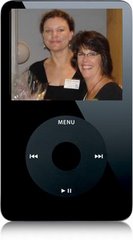
A big thanks to my friend and co-worker Cynthia for sending me a link to the August 11th entry in the Information Wants to Be Free blog. http://meredith.wolfwater.com/wordpress/index.php/2007/08/11/be-the-first-lab/
There are a lot of links for podcasting resources for all kinds of librarians here. One that I've added to the links on my blog is the David Free Library Podcasting Resources wiki: http://davidfree.pbwiki.com/Library%20Podcasting%20Resources
Yesterday I was listening to a podcast linked from the page, Learning to Speak: Creating a Library Podcast with a Unique Voice by Chris Kertz. I was hoping it would talk about actual speaking and breathing techniques but instead it talked about the idea of podcasting a radio show from the library. Dowling College started a podcast called Omnibus that Kertz hoped to make as much like NPR's This American Life as possible. It's an interesting PR angle for the library that I had not considered before. They consider it a "conversation" between the library and its community and include interviews from students and others that somehow intersect with the library while not neccesarily being part of the library. I can see how that would be a really fun and interesting project but right now, with our limited staff and time, I think our library needs to focus on podcasts as an educational tool.
Thursday, August 30, 2007

Friday, August 24, 2007
Fall Semester is here!
Well, all has been quiet on the podcast front but things are busy, busy on campus with the new semester! The podcast pilot group has recently met to "meet our Macs" and we will meet again soon to learn how to record and edit our podcasts with Garageband. We will also meet to work out policies related to ITunes U and podcast use on campus.
I received my new headphones w/ microphone for creating library podcasts today! I had some pretty old ones before and everyone said I looked like a Time Life operator. The sound quality wasn't amazing either. The new Plantronics headphones are USB and digital. They were the lowest price that still had the sound quality we were looking for. The CreativeTechs tips blog has a great comparison: http://www.creativetechs.com/iq/what_is_a_good_microphone_for_podcasting_1.html. I can't wait to try them out!
Although we don't have our webspace to upload podcasts yet, some instructors have found that they can upload a limited number of audio files to file sharing applications in social networking sites like Facebook. We have also been trained this summer to use the Wimba podcaster! This neat little tool will let you upload a limited number of podcasts for your students into the Blackboard Learning System. You can also allow your students to create their own podcasts and they can subscribe to podcasts using Wimba. For more information take a look here: http://www.wimba.com/products/voicetools/
The library podcasts are coming soon. Three of the Camtasia tutorials are going up today. Three more have to be edited some more before they're ready to go. We hope to eventually have physical tours of the library available in podcast form as well. A neat example is available from the Alden Library at the University of Ohio: http://www.library.ohiou.edu/podcasts/?page_id=14.
I received my new headphones w/ microphone for creating library podcasts today! I had some pretty old ones before and everyone said I looked like a Time Life operator. The sound quality wasn't amazing either. The new Plantronics headphones are USB and digital. They were the lowest price that still had the sound quality we were looking for. The CreativeTechs tips blog has a great comparison: http://www.creativetechs.com/iq/what_is_a_good_microphone_for_podcasting_1.html. I can't wait to try them out!
Although we don't have our webspace to upload podcasts yet, some instructors have found that they can upload a limited number of audio files to file sharing applications in social networking sites like Facebook. We have also been trained this summer to use the Wimba podcaster! This neat little tool will let you upload a limited number of podcasts for your students into the Blackboard Learning System. You can also allow your students to create their own podcasts and they can subscribe to podcasts using Wimba. For more information take a look here: http://www.wimba.com/products/voicetools/
The library podcasts are coming soon. Three of the Camtasia tutorials are going up today. Three more have to be edited some more before they're ready to go. We hope to eventually have physical tours of the library available in podcast form as well. A neat example is available from the Alden Library at the University of Ohio: http://www.library.ohiou.edu/podcasts/?page_id=14.
Tuesday, July 3, 2007
Voice Lessons
My iPod still hasn't returned from its trip to the Apple hospital but in the meantime I've received a Macbook that I've been learning to use.
I have also been continuing my struggle with Camtasia. Who knew two minutes of video could take so many hours? I'm so sick of doing the same things over and over again I'm almost ready to just stick Power Point presentations up and hope for the best. And I won't even go into how things seem to be moving around on the time line by themselves and call outs that match the audio in the editor no longer match when the video is produced...
But I'm learning a good lesson about audio that will help when I start recording my podcasts.
First, after literally starting over again 20 times yesterday, I finally got my script out as close to perfect as I've ever come, only to find my microphone had come unplugged.
So, make sure my equipment is working.
Second, I have no idea how to speak. I've somehow managed to communicate all these years but when it comes to recording audio for instruction I'm a disaster. Sometimes I go too fast and then go too slow. Sometimes my voice goes up too high for no reason. Sometimes I lapse into some weird story telling voice and other times I run out of breath.
I feel like I need voice lessons for podcasters. I'm going to look around and see if I can find any advice on pacing, tone, and breathing.
But I might take a break to take some more weird pictures with my Macbook...


I have also been continuing my struggle with Camtasia. Who knew two minutes of video could take so many hours? I'm so sick of doing the same things over and over again I'm almost ready to just stick Power Point presentations up and hope for the best. And I won't even go into how things seem to be moving around on the time line by themselves and call outs that match the audio in the editor no longer match when the video is produced...
But I'm learning a good lesson about audio that will help when I start recording my podcasts.
First, after literally starting over again 20 times yesterday, I finally got my script out as close to perfect as I've ever come, only to find my microphone had come unplugged.
So, make sure my equipment is working.
Second, I have no idea how to speak. I've somehow managed to communicate all these years but when it comes to recording audio for instruction I'm a disaster. Sometimes I go too fast and then go too slow. Sometimes my voice goes up too high for no reason. Sometimes I lapse into some weird story telling voice and other times I run out of breath.
I feel like I need voice lessons for podcasters. I'm going to look around and see if I can find any advice on pacing, tone, and breathing.
But I might take a break to take some more weird pictures with my Macbook...
Thursday, June 28, 2007
R.I.P. Little iPod
Well, I'm back from ALA and it turns out iPods don't like airport scanners. My iPod died shortly after my flight started and remained lifeless despite all the emergency procedures performed. But, never fear! I'm shipping it back to Apple and they plan to repair or replace it so I'll be back in business shortly.
I was able to attend a few sessions relevant to podcasting at ALA but I really wish I had known about the Computers in Libraries conference in Virginia this past Spring. "Podcasting and Videocasting Bootcamp" would have been a great workshop to attend. Luckily, there are links to this presentation as well as "Podcasting 101" and "Podcasting with a Purpose: Possibilities for Library Instruction" here: http://www.infotoday.com/cil2007/presentations/default.shtml
I attended a session on using video for instruction purposes and I left feeling like I had learned what not to do instead of gaining any useful "how to"s. The videos were long and clunky and students complained that they just wanted to get their information and go. Is audio the same thing? Is the medium too fixed? The Internet liberated text from its dormant format. Are we going backwards using audio and video?
I don't think we are if we use it correctly. When I bought my sewing machine a few years ago it came with an instructional video I could watch on the computer. I could pause the video and go through the steps on my own machine. I could go back in the video to any point to go back over things I didn't understand. And I felt that it was effective. I think screencasting would have this same effectiveness as opposed to some sort of "skit" on a video that students feel is wasting their time.
With instructional audio I think the point is to keep it short and relevant. There's no frustration over searching for a certain segment in a podcast if you make a seperate podcast for each segment. It would be different for lecture classes but for the type of instruction I'm doing it makes sense to have modules.
I was able to attend a few sessions relevant to podcasting at ALA but I really wish I had known about the Computers in Libraries conference in Virginia this past Spring. "Podcasting and Videocasting Bootcamp" would have been a great workshop to attend. Luckily, there are links to this presentation as well as "Podcasting 101" and "Podcasting with a Purpose: Possibilities for Library Instruction" here: http://www.infotoday.com/cil2007/presentations/default.shtml
I attended a session on using video for instruction purposes and I left feeling like I had learned what not to do instead of gaining any useful "how to"s. The videos were long and clunky and students complained that they just wanted to get their information and go. Is audio the same thing? Is the medium too fixed? The Internet liberated text from its dormant format. Are we going backwards using audio and video?
I don't think we are if we use it correctly. When I bought my sewing machine a few years ago it came with an instructional video I could watch on the computer. I could pause the video and go through the steps on my own machine. I could go back in the video to any point to go back over things I didn't understand. And I felt that it was effective. I think screencasting would have this same effectiveness as opposed to some sort of "skit" on a video that students feel is wasting their time.
With instructional audio I think the point is to keep it short and relevant. There's no frustration over searching for a certain segment in a podcast if you make a seperate podcast for each segment. It would be different for lecture classes but for the type of instruction I'm doing it makes sense to have modules.
Tuesday, June 19, 2007
iPod Honeymoon
I've been distracted by Camtasia but I've still been making time to read (and listen!) to information on creating and marketing podcasts.
I have found that I don't actually have time to listen to the gazillion podcasts I zealously subscribed to when I first fell in love with my iPod. I apparently thought I lived in a William Gibson novel and could simply download all the podcasts and immediately make use of the information. But it turns out I still live in the real world where listening to an hour of audio actually takes an hour of my time! This is a good incentive to create my podcasts short and sweet!
At the last session for the Podcast Pilot we learned about Audacity and our tech team installed it for me yesterday. I haven't had a chance to play with it yet but I think I'll be forced to use it. Even though my little Belkin microphone promised CD quality audio, the recording I did Saturday for a potential tutorial was pretty rough. I picked up the sounds of my laptop harddrive, my ankle popping, papers rustling and some annoying southern accent that I can't possibly have.
In an instruction assessment meeting last week we decided to have optional pre and post tests for the podcasts. My department head offered to buy an iTunes gift card that voluntary participants would be registered for.
We are also meeting with Nursing instructors about their online program this week and I see potential there for using podcasts and assessing their use.
I'm off to D.C. on Friday for the ALA conference. I was dissapointed to see there are only two sessions about podcasting but I know my iPod will come in handy on the airplane and the metro!
I have found that I don't actually have time to listen to the gazillion podcasts I zealously subscribed to when I first fell in love with my iPod. I apparently thought I lived in a William Gibson novel and could simply download all the podcasts and immediately make use of the information. But it turns out I still live in the real world where listening to an hour of audio actually takes an hour of my time! This is a good incentive to create my podcasts short and sweet!
At the last session for the Podcast Pilot we learned about Audacity and our tech team installed it for me yesterday. I haven't had a chance to play with it yet but I think I'll be forced to use it. Even though my little Belkin microphone promised CD quality audio, the recording I did Saturday for a potential tutorial was pretty rough. I picked up the sounds of my laptop harddrive, my ankle popping, papers rustling and some annoying southern accent that I can't possibly have.
In an instruction assessment meeting last week we decided to have optional pre and post tests for the podcasts. My department head offered to buy an iTunes gift card that voluntary participants would be registered for.
We are also meeting with Nursing instructors about their online program this week and I see potential there for using podcasts and assessing their use.
I'm off to D.C. on Friday for the ALA conference. I was dissapointed to see there are only two sessions about podcasting but I know my iPod will come in handy on the airplane and the metro!
Wednesday, June 13, 2007
Podcast Pondering
Before lunch today I downloaded podcasts from the MSU library: http://library.msstate.edu/content/templates/?a=1160&/
They sound like NPR podcasts. Apparently they had about $3,000 worth of equipment--a 13 inch MacBook with the iLife suite, a 1.66 GHz MacMini, a microphone, desktop stand, windscreen (what is that?!), a Marantz digital recorder and books on podcasting. They also have an entire committee approving scripts and working on the project.
I'm trying to figure out a way to create interactive Camtasia tutorials that I can also put in a simple slideshow-type format for Vodcasts and then have audio for just podcasts. Same screen shots for both projects.
And how will I assess the podcasts? I can see how many times they have been downloaded but this won't assess their effectiveness. I don't see a way to include a survey since the podcasts are put on a device and the user doesn't even have to be online while they're watching it. And the downloads are anonymous so I can't e-mail them a survey. And if I include them in iTunes there won't be a way to keep up with download statistics.
But I'm getting ahead of myself. I need to create these things first. That's the hard (and the fun?!) part.
In other news, my iPod has a fancy new hot pink outfit. It's not the greatest but it protects the screen and the click wheel for now.
They sound like NPR podcasts. Apparently they had about $3,000 worth of equipment--a 13 inch MacBook with the iLife suite, a 1.66 GHz MacMini, a microphone, desktop stand, windscreen (what is that?!), a Marantz digital recorder and books on podcasting. They also have an entire committee approving scripts and working on the project.
I'm trying to figure out a way to create interactive Camtasia tutorials that I can also put in a simple slideshow-type format for Vodcasts and then have audio for just podcasts. Same screen shots for both projects.
And how will I assess the podcasts? I can see how many times they have been downloaded but this won't assess their effectiveness. I don't see a way to include a survey since the podcasts are put on a device and the user doesn't even have to be online while they're watching it. And the downloads are anonymous so I can't e-mail them a survey. And if I include them in iTunes there won't be a way to keep up with download statistics.
But I'm getting ahead of myself. I need to create these things first. That's the hard (and the fun?!) part.
In other news, my iPod has a fancy new hot pink outfit. It's not the greatest but it protects the screen and the click wheel for now.
Tuesday, June 5, 2007
Learning to use iTunes
Subscribe to:
Posts (Atom)